0 | 457 | 26 Oct 2026
Guide to perform property management billing
This is a guide on the best way to perform billing.
Pre-requisite
Get the following from the caretaker or person on the property
1. Water readings
2. List of vacant house
3. List of new tenants
Administrative Tasks
Update vacant houses
Remove tenant who’ve left by:
Making his account balance zero, you can do this by deleting or editing the last invoices
Closing the lease
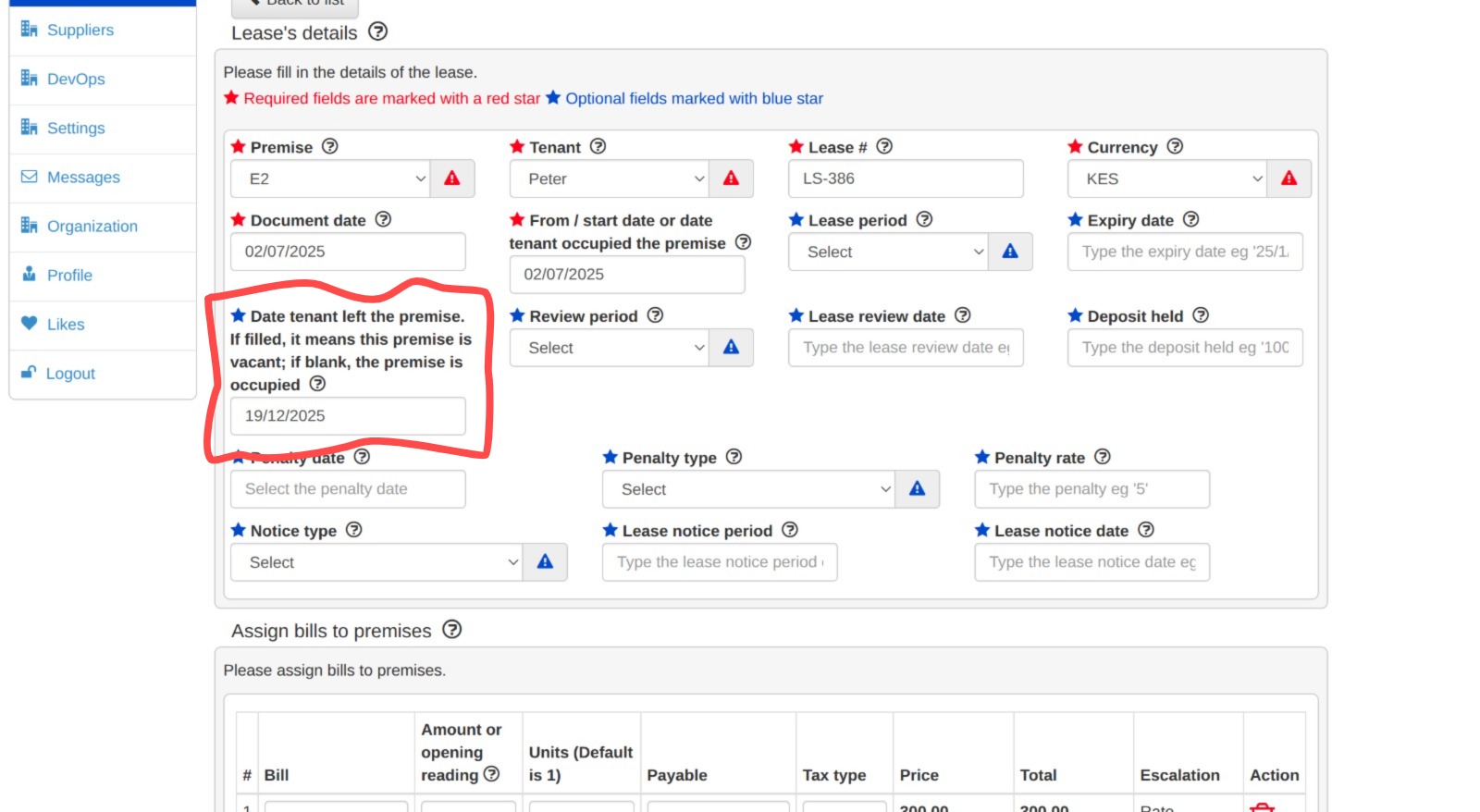
Go to "Leases" tab, search the lease, Click "Edit", Set the "Date Tenant Left the Premise", Click "Update"
Setup new tenants
List out the new tenants
Eg R1 - Edwin and R23 - John
For each of the new tenants create the following on the system
Add the tenant:
Navigate to the "Tenant" tab. Click the "Add tenant" button and enter the required tenant details in the form. Click "Update" to save the information.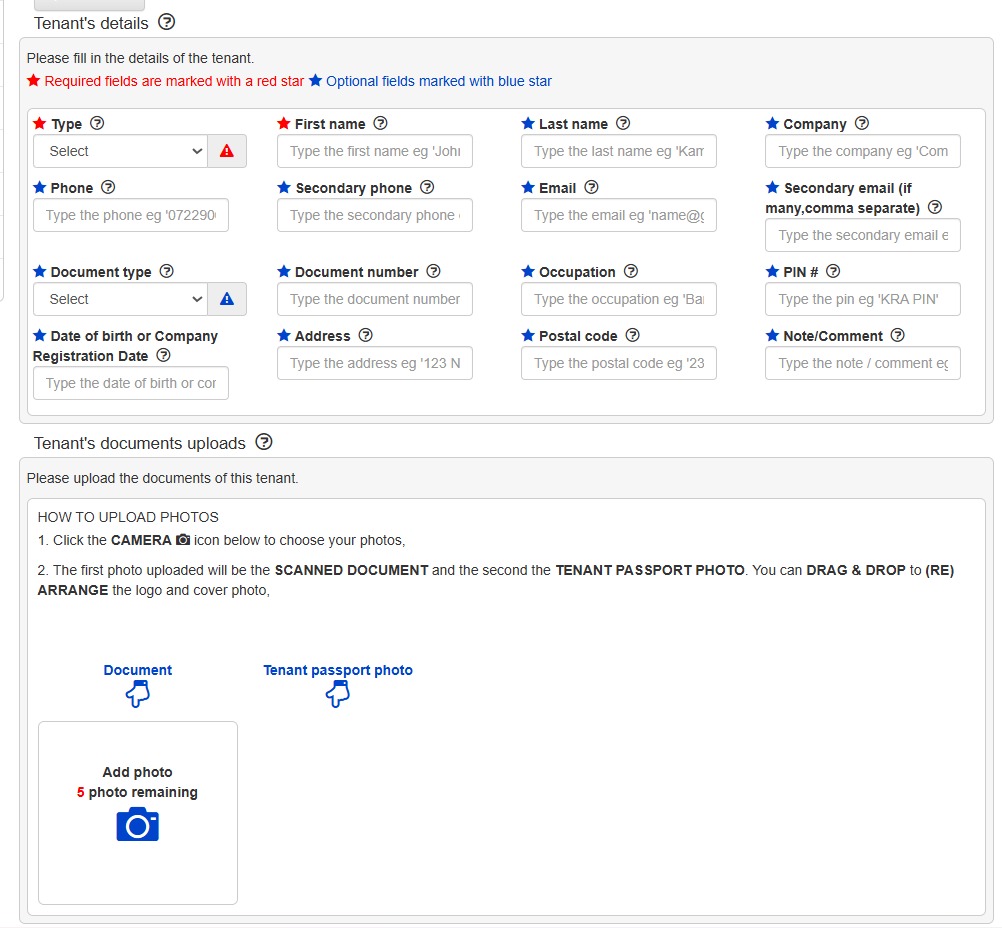
Add the lease
Navigate to the "Leases" tab. Click the "Add Lease" Fill in the lease and bill details and Click "Update" to save the information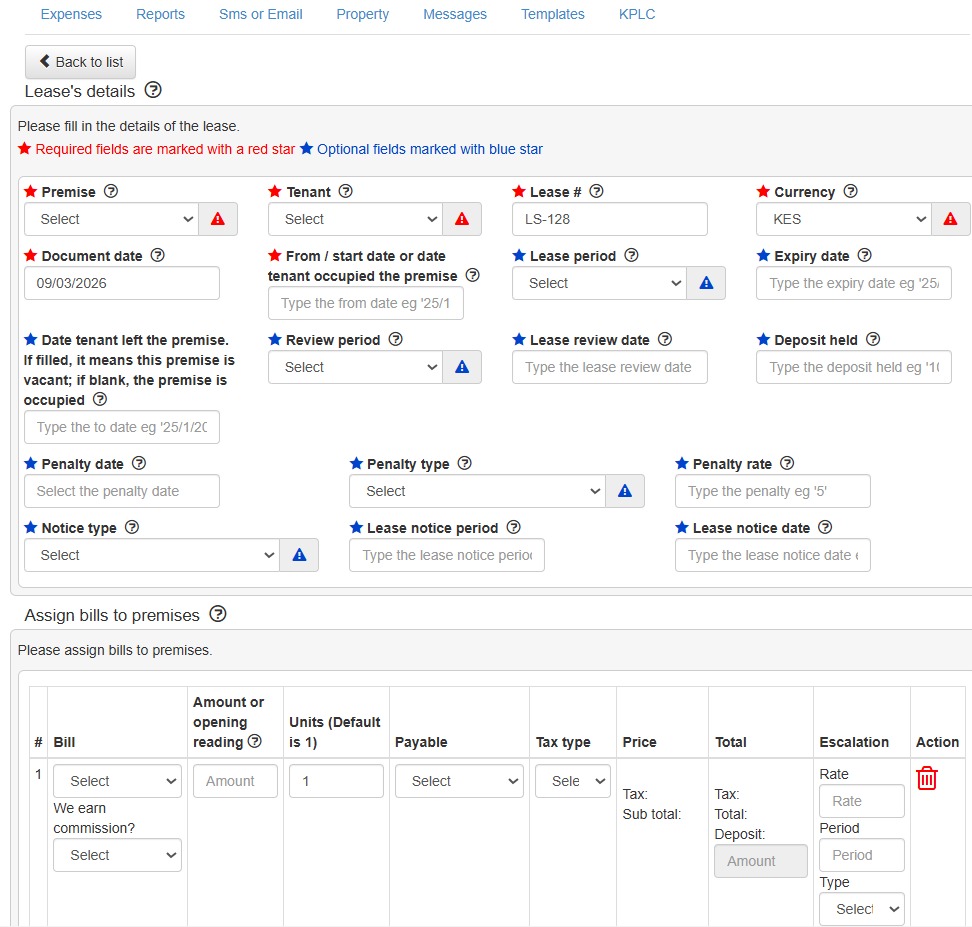
Raise an invoice of the tenant who joined within the previous month
Navigate to "Add income" tab. Select Invoice as the "type". Fill in the invoice details and click "Post".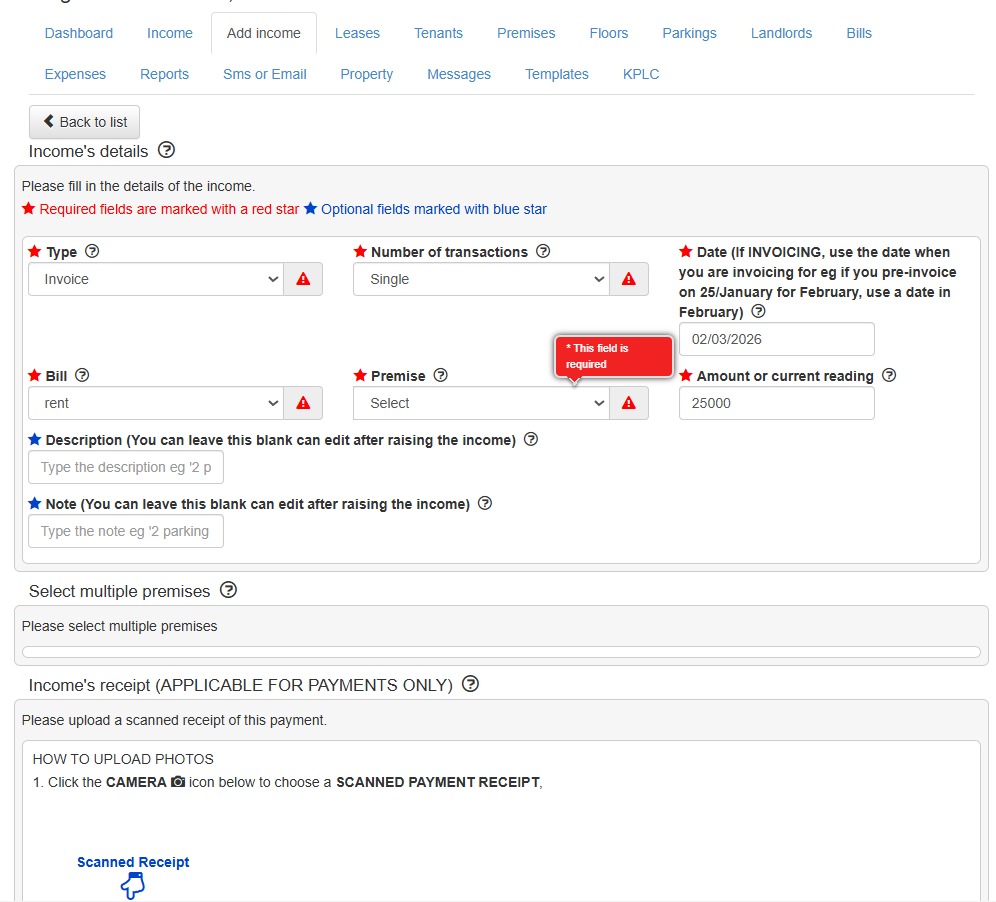
Tenant transfer
Navigate to "Leases" tab. Click the "Transfer" icon . Select the "From" (Current premise) and the "To" (New premise). Click "Transfer".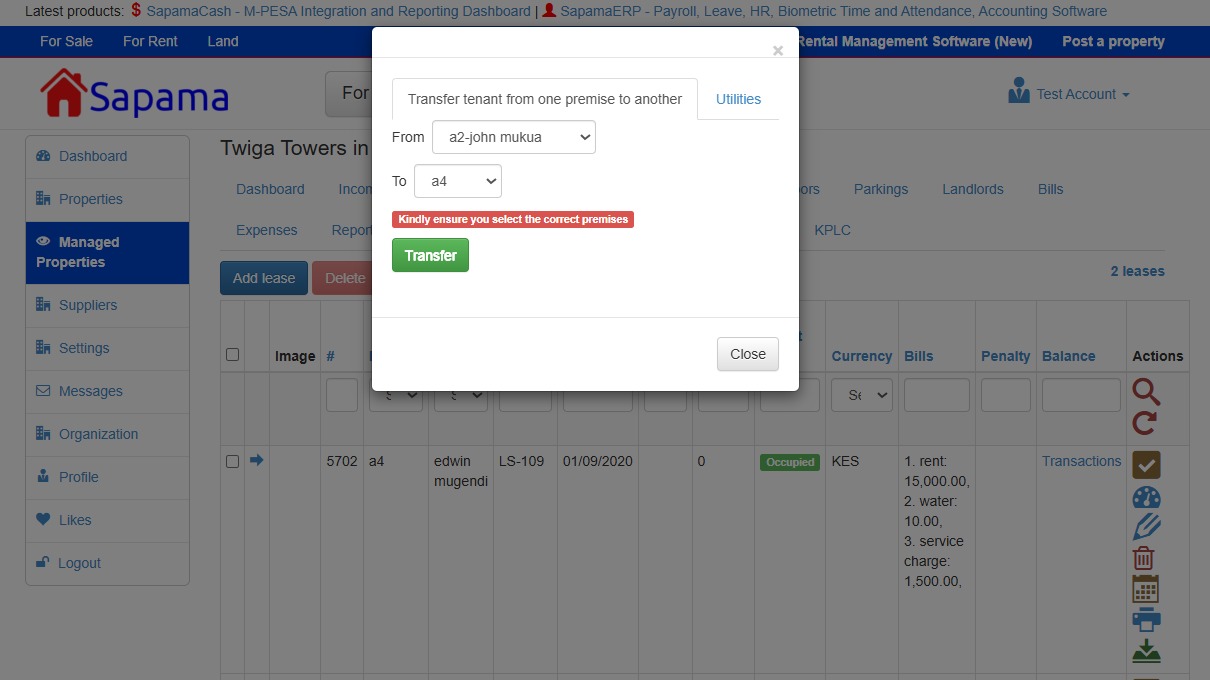
Edit the lease if the deposit or rent is different
Edit the deposit transaction if it changes
Raise all the invoices
- List the bills down and raise each of them and the tick out and then invoice in batch
Navigate to the "Add income" tab. Set "Type" to Invoice. Set "Number of transactions" to Multiple. Select the desired bills to include, then click "Post" to finalize.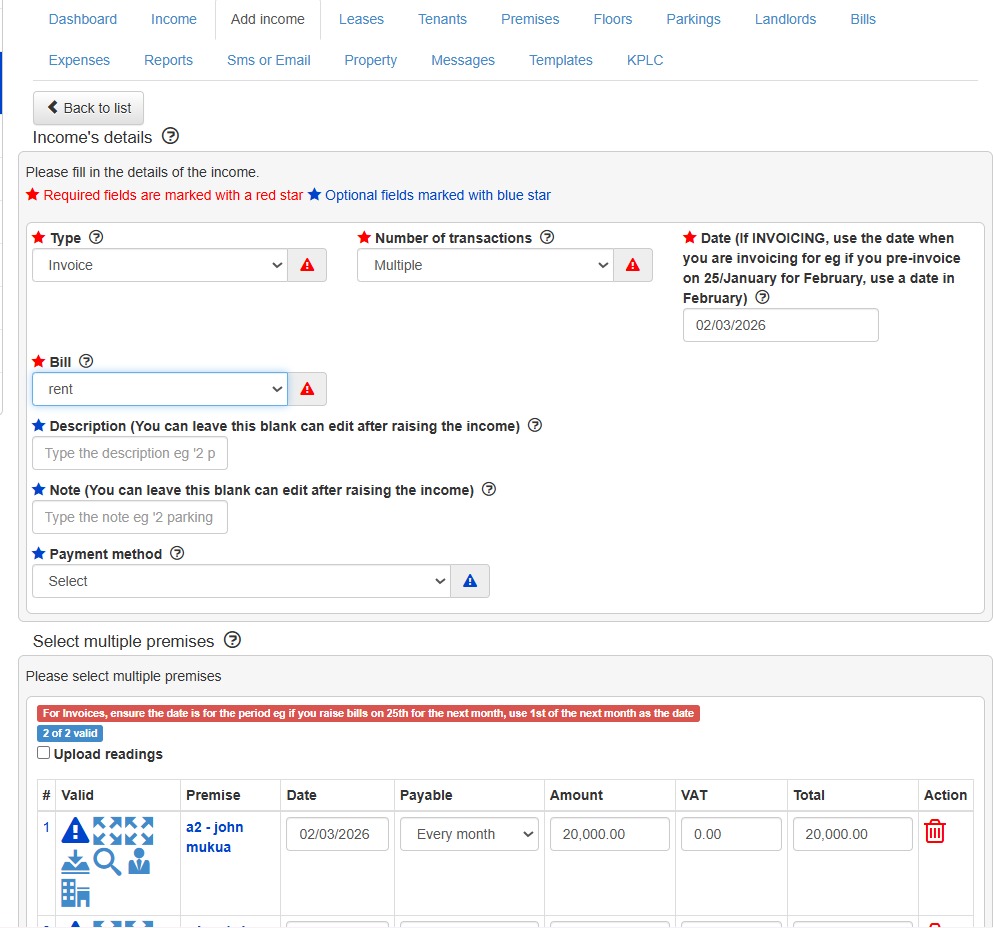
- List the bills down and raise each of them and the tick out and then invoice in batch
Deposit - Done Rent - Done Internet Electricity Water
3. Transactions reconciliations
Post any cash/bank transactions
Navigate to the "Add income" tab. Set "Type" to Payment/Receipt. Set "Number of transactions" to Single or Multiple, depending on the number of payments received, then click "Post" to finalize.
Un-reconciled Transaction - Non-existent account number / Not successful
{guide 8}
Navigate to the "Transactions" tab. Locate the transaction record and click the "Edit" icon. Update the Account/House Number field with the correct information. Click "Save" to apply the changes.
Missing transaction - Safaricom Didn’t send is this transaction. On SapamaCash.com it will show as missing transaction
Request statement of account
Payment before creating the tenant or lease. Tenant will be empty in the income
Wrong Account Number ie exists but for a different house
Send SMSes in batch
Video:
https://drive.google.com/file/d/1Zu5SXUekw9wNfPyIKS2GIFvlhPezkL-6/view
Submit a comment
Your email address will not be published. Required fields are marked *